 +971 50 5473745


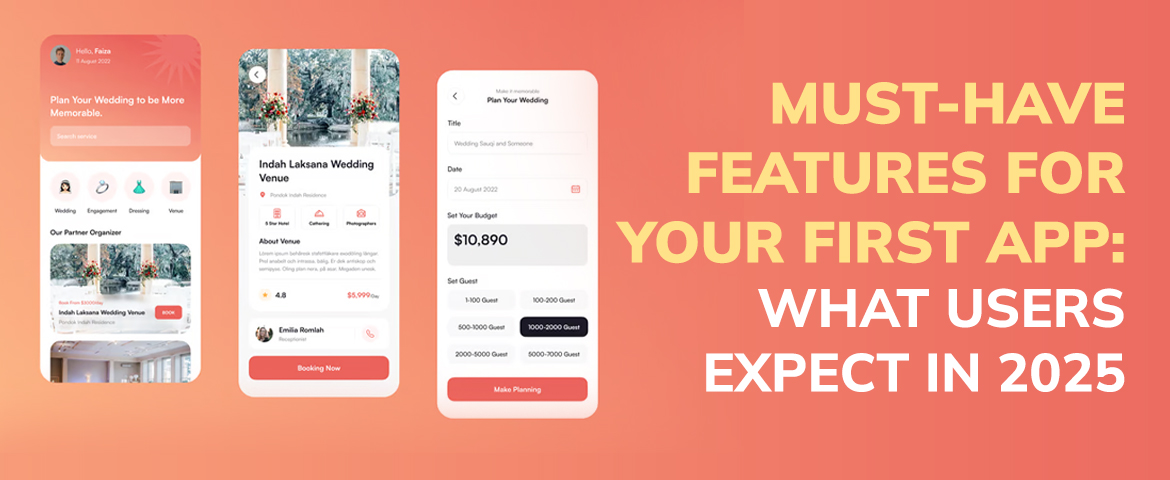
Must-Have Features for Your First App: What Users Expect in 2025
Why You Must Have Features in Your First App
- Higher User Retention: When users love the app they’ll stick around and use it more often.
- Better Reviews and Ratings: Apps that meet user needs quickly get good reviews, more visibility in app stores.
- Competitive Advantage: Even basic personalization or offline access can make your app stand out.
- More ROI: Smart features = more user engagement = better monetization.
- Fewer Support Tickets: Clear navigation and in-app help = less confusion = time and resource savings for your team.
A Super App is a multi-service platform that bundles multiple services into one interface. Unlike traditional apps that focus on one core feature, Super Apps are an ecosystem where users can access multiple services without switching.
First Time App Owners Miss This (But Shouldn’t)
- User Feedback Loops: Get feedback early and act on it so you build what users actually want — not what you think they want.
- Scalability: Your app should be built with growth in mind. Starting small is fine but plan for more users, features and data.
- Cross Platform Consistency: If you’re launching on iOS and Android make sure the user experience is the same on both.
- Performance Testing: Skipping stress tests or ignoring device compatibility issues will hurt you post launch.
- Clear Monetization: Whether it’s in-app purchases, subscriptions or ads, know how your app will make money before you launch.
15 Must-Have Features for your First App in 2025
1. Easy Onboarding
What to include:
- Quick sign up options (Google, Apple, email)
- Interactive walkthroughs or tooltips
- Skip and back buttons for user control
- Micro-animations for visual cues
Why it matters: A good onboarding reduces drop off and increases long term engagement. It sets the tone for your app’s usability.
2. Simple Navigation
What to include:
- Clear tab bars or hamburger menus
- Consistent iconography
- Back and home buttons always available
- Search functionality
Why it matters: Users expect efficiency. If it takes too long to find something they’ll leave — and likely won’t return.
3. Personalization and Smart Recommendations
What to include:
- Personalized content feeds
- Behavioral based suggestions
- Custom settings and preferences
Why it matters: Personalized experiences lead to higher engagement and satisfaction. Users want to feel like the app gets them.
4. Offline Mode and Syncing
What to include:
- Offline access to core content
- Auto syncing once back online
- Data saving modes
Why it matters: Offline mode makes the app more accessible and convenient especially for global users or those with limited data.
5. Fast Load Times and Performance
What to include:
- Optimise media and code
- Minimise latency on transitions
- Feedback animations (e.g. loading spinners)
6. In-App Support and Feedback Channels
What to include:
- Chatbots or live chat
- FAQs and knowledge base
- Easy to find feedback forms
7. Dark Mode and Accessibility Options
What to include:
- Dark/light mode toggle
- Voice control and screen reader compatibility
- Adjustable font sizes and contrast settings
8. Privacy and Data Protection
What to include:
- Clear asks
- GDPR and CCPA compliance
- Biometric or 2FA
9. Push Notifications (But Done Well)
What to include:
- Personalized, timely messages
- Easy opt-in/out controls
- Quiet hours or scheduling
10. Regular Updates and Iteration
What to include:
- Visible changelogs
- Bug fixes and new features
- User driven improvements
11. App Store Optimization (ASO)
What to include:
- Keyworded titles and descriptions
- Screenshots and videos of features
- Review monitoring and response
12. Analytics and User Behavior Tracking
What to include:
- Session duration and user flow tracking
- Funnel analysis for key conversions
- Crash reporting and error logs
13. Seamless Integrations with 3rd Party Services
Users love convenience. Integrating with tools they already use makes your app more useful.
What to include:
- Payment gateways (Stripe, PayPal)
- Calendar and social media integration
- Cloud storage sync (Google Drive, Dropbox)
14. Scalable Architecture for Growth
What to include:
- Cloud-based infrastructure
- Modular code structure
- Load testing protocols
15. Cross-Platform
What to include:
- Responsive design
- Syncing
- Native or cross-platform
Common Mistakes First Time App Creators Make
- Over complicating the UI: Simplicity wins. Too many features at launch confuses users.
- Not doing user research: You are not your user. Build based on real feedback and needs.
- Not updating post launch: An app is a living product that should evolve over time.
- Ignoring platform specific guidelines: iOS and Android users expect different behaviors and styles.
- Not testing properly: Launching without QA testing is an invitation to bugs and bad reviews.
Conclusion
Ready to Build Your First App? Partner with the Best in the UAE
When it comes to turning app ideas into awesome digital products HelloPixels is the best app development company in Abu Dhabi and the number 1 mobile app development agency in Dubai. With a team of super talented developers, designers and strategists we specialise in building feature rich, user friendly mobile apps that meet what users expect in 2025 and beyond.
Whether you’re a startup or an established business HelloPixels delivers end to end solutions — from strategy and UI/UX design to development and post launch support. As the top rated mobile app development company in both Abu Dhabi and Dubai we don’t just build apps — we create experiences that scale, engage and convert. Let’s build something amazing together.

Artificial Intelligence in Healthcare, UAE
Prominent Artificial intelligence Experts in the UAE, HelloPixels define Artificial Intelligence or

How much does Mobile App Development cost in 2023?
2023 is winding up soon and the Mobile app market is buzzing like never before. Brands around the wo
10 Tips for Effective App Marketing and Promotion
In today’s world, creating a great app is only half the battle. With millions of apps across multi


