 +971 50 5473745


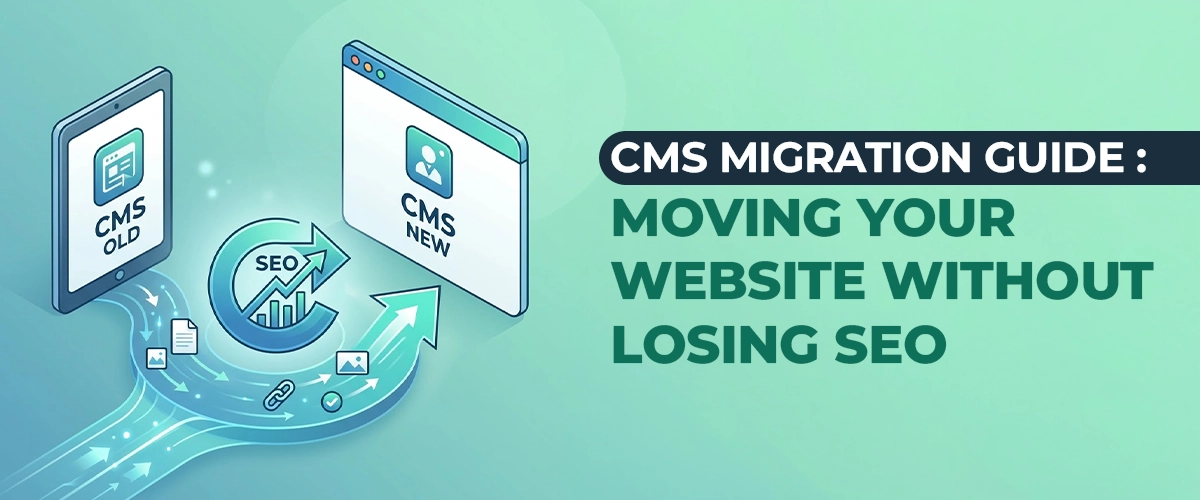
CMS Migration Guide: Moving Your Website Without Losing SEO
Why Businesses Migrate: Top Reasons in 2026
CMS migration is one of the most stressful projects in digital marketing. It involves risk, cost, and potential traffic loss. Yet businesses migrate in record numbers:
- 42% of WordPress switchers move to Shopify
- 38% of WordPress switchers move to Wix
- 7 out of 8 switchers don’t regret the move
The Top Reasons for Migration in 2026
| Reason | % of Migrators | Primary Driver |
|---|---|---|
| Performance issues | 34% | Core Web Vitals failures, slow load times |
| Security concerns | 28% | Hacks, vulnerabilities, maintenance burden |
| Platform limitations | 22% | Outgrown current CMS capabilities |
| Cost reduction | 9% | Lower total cost of ownership on new platform |
| Feature needs | 7% | Specific features unavailable on current platform |
Why Migration Is Especially Common for Dubai Businesses
- Rapid growth outpaces original platform capabilities
- Competitive pressure demands better performance and UX
- Digital maturity leads to more sophisticated requirements
- Platform availability, such as Shopify Payments in UAE, enables new options
This guide provides a comprehensive migration framework that minimizes risk and preserves SEO value.
Pre-Migration SEO Audit Checklist
The Foundation of a Successful Migration
Before touching a single file, you need complete visibility into your current site’s SEO health. This audit becomes your migration roadmap and your insurance policy.
Technical SEO Audit
| Element | Tool | What to Document |
|---|---|---|
| All indexed URLs | Screaming Frog, Ahrefs | Complete URL inventory |
| Current rankings | SEMrush, Ahrefs | Top 100 keywords and positions |
| Organic traffic | Google Analytics 4 | Monthly traffic by page |
| Backlink profile | Ahrefs, Majestic | All referring domains and links |
| Core Web Vitals | PageSpeed Insights, Search Console | LCP, INP, CLS scores |
| Structured data | Schema Validator, Search Console | All schema types and errors |
| XML sitemap | Manual review | Current sitemap structure |
| Robots.txt | Manual review | Current crawl directives |
| Canonical URLs | Screaming Frog | All canonical tags |
| Internal linking | Screaming Frog | Link structure and anchor text |
| Mobile usability | Search Console, Mobile-Friendly Test | Mobile errors and issues |
| Hreflang | Search Console | International targeting setup |
Content Audit
| Element | What to Document |
|---|---|
| All pages | Title, meta description, H1, word count |
| Content quality | Thin content, duplicate content, outdated content |
| Media assets | Images, videos, PDFs — with file sizes and alt text |
| Redirects | Existing 301/302 redirects |
| Error pages | 404s, 500s, soft 404s |
Backlink Audit
| Element | What to Document |
|---|---|
| Referring domains | Domain authority, link count, anchor text |
| Top linked pages | Which pages have the most backlinks |
| Toxic links | Disavow file status, harmful links |
| Brand mentions | Unlinked brand mentions for reclamation |
Important: Export all data into a master spreadsheet. This is your migration bible.
URL Mapping and Redirect Strategy
The Most Critical Migration Step
URL mapping is the process of matching every URL on your old site to a corresponding URL on your new site. Get this wrong, and you lose rankings. Get this right, and you preserve 95%+ of your SEO value.
The URL Mapping Process
- Export all URLs from the old site (Screaming Frog, CMS export, sitemap).
- Categorize URLs by type (homepage, category, product, blog, landing page).
- Map each URL to its new equivalent on the target platform.
- Identify orphaned URLs (old pages with no new equivalent).
- Plan redirects (301 for preserved pages, 410 for removed pages).
URL Mapping Template
| Old URL | New URL | Redirect Type | Status | Notes |
|---|---|---|---|---|
| /about-us | /about | 301 | Mapped | Content merged |
| /services/seo | /services/search-engine-optimization | 301 | Mapped | URL structure changed |
| /blog/old-post-2019 | — | 410 | Removed | Outdated, no equivalent |
| /products/blue-widget | /products/widgets/blue | 301 | Mapped | Category restructured |
| /contact.php | /contact | 301 | Mapped | Extension removed |
Redirect Best Practices
1. Use 301 Redirects (Permanent)
- Passes 90–99% of link equity to the new URL
- Signals to Google that the move is permanent
- Updates index over time
2. Avoid Redirect Chains
- Bad: /old-page → /intermediate-page → /new-page
- Good: /old-page → /new-page (direct)
- Maximum chain length: 2 hops
3. Implement Redirects Before Launch
- Test all redirects in staging environment
- Verify with curl or redirect checker tools
- Ensure no redirect loops
4. Preserve URL Parameters
- If old URLs had tracking parameters, ensure new redirects preserve them
- Example:
/product?id=123 → /products/item-123?utm_source=old
5. Handle Edge Cases
- Trailing slashes (/page vs. /page/)
- Case sensitivity (/Page vs. /page)
- WWW vs. non-WWW
- HTTP vs. HTTPS
Redirect Implementation by Platform
WordPress (Redirection Plugin)
Source: /old-page
Target: /new-page
Type: 301
Apache (.htaccess)
Redirect 301 /old-page https://www.example.com/new-pageNginx
location /old-page {
	return 301 https://www.example.com/new-page;
}
Shopify
- Use Shopify’s URL redirects in admin
- Bulk upload via CSV for large migrations
Cloudflare
- Use Page Rules for redirects
- Bulk redirect lists for large-scale migrations
Content Transfer: What Gets Lost and How to Prevent It
The Content Migration Checklist
Content is more than text. It’s structure, metadata, media, and relationships. Here’s what to transfer and what commonly gets lost:
Must Transfer
| Element | Risk Level | Prevention |
|---|---|---|
| Page titles | Low | Automated export/import |
| Meta descriptions | Low | Automated export/import |
| H1 headings | Low | Automated export/import |
| Body content | Medium | Verify formatting, shortcodes, embeds |
| Images | High | Export all media, verify alt text, update URLs |
| Internal links | High | Update all internal links to new URLs |
| Categories/tags | Medium | Map taxonomy structures |
| Publish dates | Low | Preserve original dates for SEO |
| Author information | Medium | Map authors or consolidate |
| Comments | Medium | Export and import if valuable |
| Custom fields | High | Manual mapping required |
| Schema markup | High | Re-implement on new platform |
Common Content Loss Scenarios
1. Image URL Breakage
- Old images referenced by absolute URLs
- New site has different media path
- Fix: Export all images, upload to new site, update all image URLs in content
2. Shortcode Breakage
- WordPress shortcodes such asand contact-form don’t exist on new platforms
-
- Fix: Convert shortcodes to HTML before migration, or recreate functionality

3. Embed Code Issues
- Custom embeds, iframes, and scripts may not work on new platforms
- Fix: Test all embeds in staging, update or replace as needed
4. Formatting Loss
- WYSIWYG editor differences cause formatting issues
- Fix: Clean HTML export, manual review of top pages
5. Menu/Navigation Loss
- Menu structures don’t transfer automatically
- Fix: Rebuild menus manually, ensure internal links are updated
Technical SEO During Migration
The Technical Migration Checklist
Pre-Launch
| Task | Status | Owner |
|---|---|---|
| Robots.txt configured | Dev | |
| XML sitemap generated | Dev | |
| Canonical tags implemented | Dev | |
| Hreflang tags configured | Dev | |
| Schema markup re-implemented | Dev | |
| Google Analytics tracking installed | Dev | |
| Google Tag Manager configured | Dev | |
| Search Console verification | SEO | |
| SSL certificate installed | Dev | |
| Mobile usability tested | QA | |
| Core Web Vitals tested | Dev | |
| All redirects tested | SEO | |
| Internal links updated | SEO | |
| Image alt text preserved | Content | |
| URL structure finalized | SEO |
Launch Day
| Task | Status | Owner |
|---|---|---|
| DNS updated | Dev | |
| SSL active | Dev | |
| Redirects live | Dev | |
| Robots.txt allows indexing | SEO | |
| Sitemap submitted to Search Console | SEO | |
| Analytics tracking verified | Dev | |
| Staging site blocked from indexing | Dev |
Post-Launch
| Task | Status | Owner |
|---|---|---|
| Crawl errors monitored | SEO | |
| Rankings tracked | SEO | |
| Traffic monitored | SEO | |
| Backlinks verified | SEO | |
| Core Web Vitals monitored | Dev | |
| User feedback collected | UX |
Testing Before Going Live
The Staging Environment Protocol
Never launch a migration without thorough staging testing.
1. Content Verification
- Spot-check 20% of pages for content accuracy
- Verify all images load correctly
- Test all internal links
- Check formatting on key pages
2. Redirect Testing
- Test 100% of mapped redirects
- Use tools like Redirect Checker or Screaming Frog
- Verify no redirect chains or loops
- Test edge cases such as trailing slashes and parameters
3. SEO Verification
- Verify title tags and meta descriptions
- Check canonical tags
- Test schema markup with Rich Results Test
- Verify XML sitemap is valid
- Check robots.txt allows indexing
4. Performance Testing
- Run PageSpeed Insights on top 10 pages
- Test mobile performance
- Verify Core Web Vitals scores
- Check image optimization
5. Functionality Testing
- Test all forms (contact, newsletter, checkout)
- Test e-commerce flows (add to cart, checkout, payment)
- Test search functionality
- Test user authentication, if applicable
- Test third-party integrations
6. Cross-Browser Testing
- Chrome, Safari, Firefox, Edge
- Test on mobile devices (iOS, Android)
- Test on tablets
Post-Migration Monitoring: Key Metrics
The 90-Day Monitoring Plan
Week 1 — Critical
- Monitor Search Console daily for crawl errors
- Check analytics for traffic drops
- Verify all redirects are working
- Monitor for 404 errors
Weeks 2–4 — Important
- Track keyword ranking changes
- Monitor organic traffic trends
- Check backlink profile for lost links
- Verify Core Web Vitals stability
Months 2–3 — Ongoing
- Compare pre- and post-migration traffic
- Analyze ranking recovery trajectory
- Identify and fix any lingering issues
- Document lessons learned
Expected Traffic Patterns
| Timeframe | Expected Traffic | Action If Lower |
|---|---|---|
| Week 1 | 70–90% of pre-migration | Normal fluctuation, monitor |
| Week 2 | 80–95% of pre-migration | Investigate if below 80% |
| Week 4 | 90–100% of pre-migration | Investigate if below 90% |
| Month 2 | 95–105% of pre-migration | Investigate if below 95% |
| Month 3 | 100–110% of pre-migration | Full recovery expected |
If Traffic Drops Below 70% in Week 1
- Check for indexing issues (robots.txt blocking, noindex tags)
- Verify redirects are working
- Check for canonical errors
- Contact your migration team immediately
7 Out of 8 Switchers Don’t Regret It — Here’s Why
The Success Factors
The 87.5% satisfaction rate among CMS switchers isn’t accidental. Successful migrations share common characteristics:
1. Thorough Planning
- Complete audit before migration
- Detailed URL mapping
- Realistic timeline (not rushed)
- Clear ownership of each task
2. Professional Execution
- Experienced migration team (internal or agency)
- Staging environment for testing
- Phased approach for large sites
- Rollback plan if issues arise
3. SEO Preservation
- 301 redirects for all valuable URLs
- Content preservation and optimization
- Technical SEO re-implementation
- Post-launch monitoring and fixes
4. Stakeholder Communication
- Clear expectations set with leadership
- Regular updates during migration
- Post-launch reporting on success metrics
- Transparent about challenges and fixes
The 12.5% Who Regret It
- Rushed the migration without proper planning
- Didn’t implement redirects correctly
- Lost significant traffic due to technical errors
- Chose the wrong platform for their needs
- Underestimated the learning curve of the new platform

Top 5 eCommerce UI Best Practices
Ecommerce is ever-evolving and so, design is a good chance to impress your customers online. Ecommer
What Is Essential for a Good Ecommerce Website?
When it comes to ecommerce web development, UX or user experience is key. It is important that your

Find the best ecommerce website development software in 2022
If you are interested in eCommerce business, it is essential for you to develop an enthusiastic ecom


